Reset Password: The Ultimate ApexGaming99 Account Recovery & Security Guide
Forgot your password or found yourself locked out of your account? We understand that losing access to your gaming profile can be frustrating. However, the ApexGaming99 reset password process is designed to be simple, fast, and highly secure.
This comprehensive guide covers every scenario from a simple forgotten password to recovering an account without access to your original email. By following these steps, you can protect your balance, secure your bonuses, and get back to the action in minutes.

Why You Should Regularly Reset Your Password
Your account is more than just a profile; it is a digital wallet containing your deposits and winnings. Maintaining a strong, frequently updated ApexGaming99 reset password is your first line of defense against unauthorized access.
- Protect Your Funds: Regular updates prevent hackers from gaining long-term access.
- Secure Personal Data: Keep your contact info and banking details private.
- Maintain Account Integrity: Ensure that your loyalty points and VIP rewards remain yours alone.
How to Choose the Right Reset Method
We provide three distinct paths to regain access. Choose the one that matches your current situation.
Standard Reset with Code (Recommended)
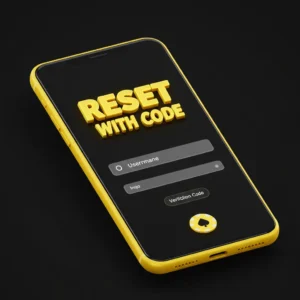
The Step-by-Step Process:
- Visit the Login Portal: Navigate to the official login page and click the “Forgot Password” link.
- Enter Credentials: Provide your registered username or the email address associated with the account.
- Select Verification: Choose whether you want to receive your security code via SMS or Email.
- Input the Code: Check your inbox or messages. Enter the 6-digit verification code before it expires (usually within 10 minutes).
- Create a New Password: Choose a strong password that you haven’t used before.
- Finalize: Log in with your new credentials and review your account activity.
Account Recovery (No Access to Email or Phone)
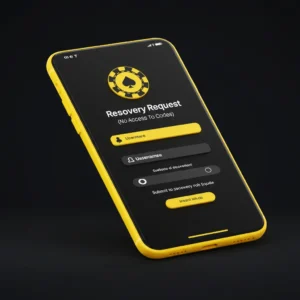
What You Will Need:
- Your ApexGaming99 username.
- A new, reachable email address.
- Proof of identity (a clear photo of a government-issued ID).
- Details about your last deposit or account creation date.
The Process:
- Start a “Recovery Request” via our support link.
- Upload your documents and provide the requested account history.
- Our security team will review the request to ensure you are the rightful owner.
- Once approved, your contact details will be updated, allowing you to run the standard reset process.
Updating Password While Logged In

If you currently have access but want to strengthen your security, follow these steps inside your dashboard:
- Go to the “User Center” or “Account Settings.”
- Select the “Security” tab.
- Click on “Change Password.”
- Enter your old password followed by your new, secure choice.
- Click “Save Changes” to update your credentials immediately.
Troubleshooting Common Reset Issues
If you encounter errors during the reset password process, refer to these common fixes:
The Verification Code Did Not Arrive
- Check Spam: Often, automated emails are filtered into Junk or Spam folders.
- Resend Timer: Wait at least 60 seconds before clicking “Resend.”
- Network Signal: If using SMS, ensure you have a strong cellular signal.
The Reset Link Is Invalid
- Single Use: Security links work only once. If you clicked it and it failed, request a new one.
- Time Limit: Most links expire within 30 to 60 minutes for your protection.
“Too Many Attempts” Error
- If you enter the wrong code too many times, our system will temporarily lock the reset feature. Wait 30 minutes before trying again to allow the security cooling period to end.
Pro-Tips for a Bulletproof Password
When creating your new password for ApexGaming99, aim for maximum security. A strong password should follow these criteria:
- Length: At least 10 to 12 characters.
- Complexity: Use a mix of uppercase letters, lowercase letters, numbers, and symbols (e.g., @, #, $, %).
- Uniqueness: Never use your name, birthday, or simple sequences like “123456.”
- Freshness: Avoid using a password that you currently use for your social media or personal banking.
Frequently Asked Questions
How often should I change my ApexGaming99 password?
We recommend updating your password every 60 to 90 days. This practice significantly reduces the risk of long-term account compromise.
Can I reset my password via the Mobile App?
Yes. The mobile app follows the same security protocols as the desktop site. Simply tap “Forgot Password” on the app login screen.
Is there a limit to how many times I can reset?
There is no limit to how many times you can reset your password. However, requesting too many codes in a short window may trigger a temporary security hold.
What should I do if I suspect someone else changed my password?
If you receive a “Password Changed” notification that you did not initiate, contact our 24/7 Live Support immediately to freeze your account and verify your identity.
Need More Help?
Our dedicated support team is available around the clock to assist you with any account recovery needs.